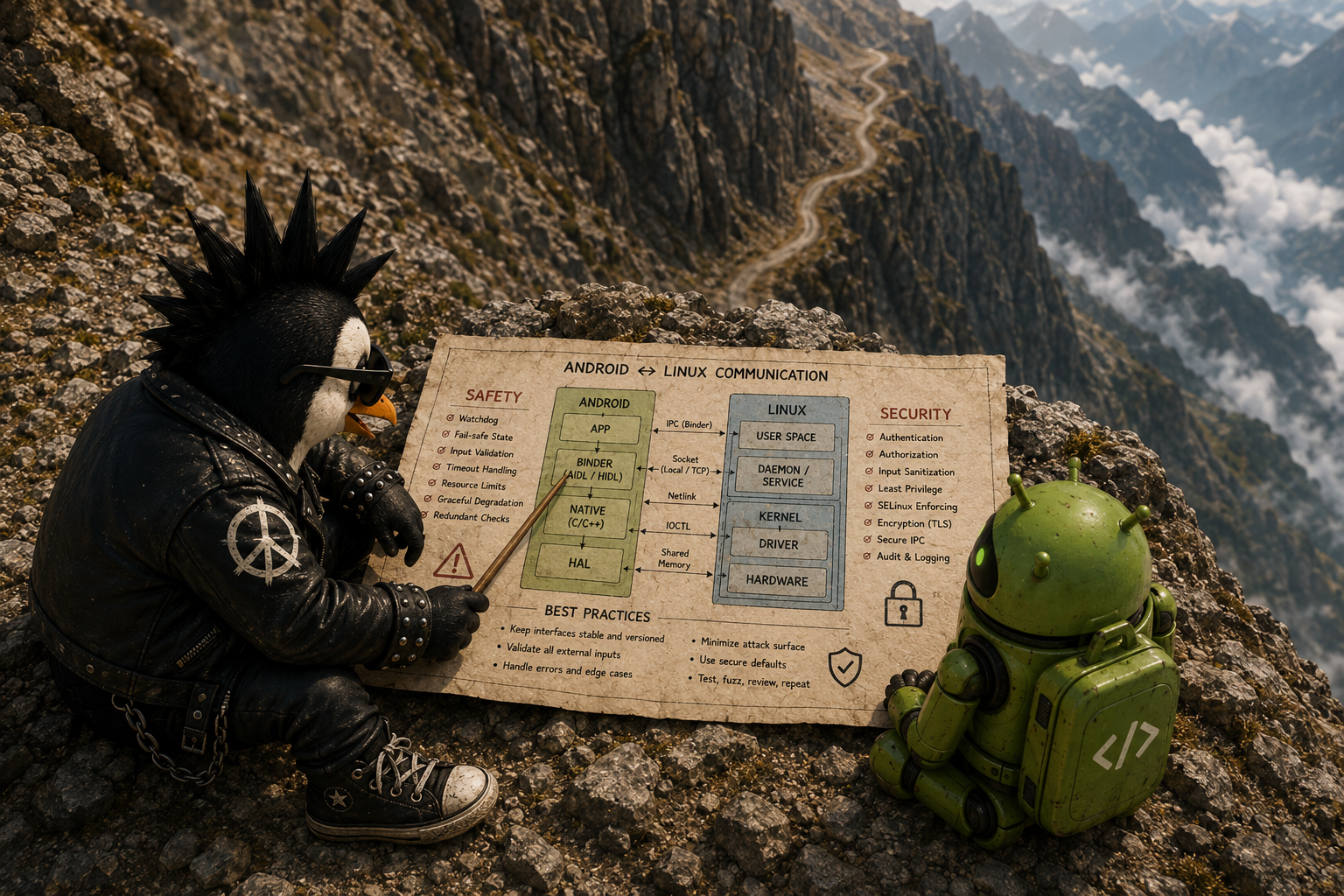
From TrustZone-based TEEs to Secure Partitions and Protected VMs
Introduction
Once, during an informal meeting with some colleagues, one of them quietly asked me:
“Why don’t they just use the same TEE, instead of making the architecture this complicated?”
At that moment I didn’t have a clear answer. I didn’t know what had gone through the minds of the system architects that led them to conclude the traditional TEE model was no longer enough for all their security needs, and that they had to place some of the sensitive services in other environments.
After the meeting, I put the same question — phrased a little differently — to one of the more experienced people on the team. His answer was short:
“We don’t know what’s inside the blobs they hand us, so we can’t trust them.”
That single answer was, at the time, very convincing to me. If part of a system’s security architecture is made up of binaries whose source code, dependency chain, library versions, and update process are not in the hands of the team building the product, then defining the trust boundary precisely becomes difficult.
But as I read more, I realized the problem isn’t only that the code is closed. Even if a TEE were fully open source, important architectural questions would still remain:
- How many services should trust a single shared secure kernel?
- If one of the secure services is compromised, can the attacker move laterally into the others?
- How are secure resources allocated?
- Who is allowed to update these components?
- Should Linux have access to the entire system memory?
- Can different services have independent hardware boundaries?
- How is memory ownership controlled during data exchange?
When I saw these same concerns reflected in the Android Virtualization Framework, it became clear that this shift isn’t specific to Android. In Embedded Linux too, projects like OP-TEE, FF-A, Hafnium, pKVM, Xen, and Jailhouse are each, from a different angle, trying to make the trust boundary smaller, more transparent, or more fine-grained.
Android uses the Linux kernel, but the product architecture, the update model, the compatibility requirements, and the chain of trust are all defined by Google in a fairly unified way. In Embedded Linux, there is no such single authority. A product builder can use very different combinations of Linux, TF-A, OP-TEE, U-Boot, a hypervisor, an RTOS, and proprietary firmware.
For that reason, I thought it worth spending the time to write about this topic. The result grew into a five-part series. This article leans on Android mostly as a clear and well-documented example, but it tries to generalize the conclusions to Embedded Linux systems built on Arm Cortex-A processors as well.
Part 1 — Why TEE Alone Is No Longer Enough
1. Scope of the article and defining two architecture families
In this article, by Embedded Linux I mean systems that:
- Run on Arm Cortex-A processors or similar Application Profile processors;
- Have a Linux kernel and a custom user space, Yocto, Buildroot, or a comparable distribution;
- May be used in industrial equipment, automotive, communication gateways, medical devices, cameras, robots, Edge devices, or consumer products.
The focus of this article is not TrustZone-M and Cortex-M microcontrollers. That domain typically uses Trusted Firmware-M, PSA, and different models of Secure Partitioning.
To make the comparison easier, let’s call the classic TrustZone-based TEE model Architecture A.
But the newer architecture can’t be treated as a single “Architecture B.” In practice, several different paths have taken shape:
Architecture B-Android
A combination of:
- Android Virtualization Framework;
- pKVM;
- Protected VM;
- Microdroid or another guest operating system;
- pVM firmware;
- Verified Boot and DICE.
Architecture B-Secure Partition
A combination of:
- Arm FF-A;
- Secure Partition Manager;
- Hafnium in S-EL2;
- Several separate Secure Partitions in the Secure World.
Architecture B-Embedded Partitioning
This path includes solutions such as Xen Dom0less and Jailhouse, used to bring up several independent workloads on a shared SoC.
In these models, Linux, an RTOS, or bare-metal applications can run in separate domains or cells with a relatively fixed allocation of CPU, memory, and devices. The main focus of this path is usually mixed-criticality, static partitioning, and boot-time isolation — not necessarily the confidentiality of one workload against the Host Linux.
These three paths share common goals, but they are not equivalent to one another. AVF is a complete framework specific to Android. Hafnium works inside the Secure World. Xen and Jailhouse are designed more for isolating workloads and for mixed-criticality, and they do not necessarily guarantee the confidentiality of one workload against the Host Linux.
2. First we need to define what we’re protecting
Before comparing architectures, we need to specify the assets and the threat model.
In Android, the sensitive assets can include the following:

In Embedded Linux, similar assets exist, but their use is different:

The threat model usually assumes that an attacker might:
- Compromise an application in user space;
- Gain root;
- Exploit a Linux kernel vulnerability;
- Take control of the Host Linux;
- Send tampered data to a secure service;
- Or attempt to reload old, vulnerable firmware.
The goal is that compromising Linux alone should not be enough to extract a key, alter secure code, or read the memory of a protected workload.
In Android, KeyMint, Gatekeeper, and the authentication-related processes can be placed in an isolated hardware environment such as a TEE or StrongBox. In Embedded Linux, OP-TEE is likewise typically run as a companion to a non-secure Linux kernel, performing sensitive operations out of Linux’s direct reach.
3. Architecture A: the classic TrustZone and TEE model
In the classic Armv8-A model, TrustZone splits the processor into two main security states:
- Non-secure state
- Secure state
The more common terms for these two states are:
- Normal World
- Secure World

In the Normal World, the following typically run:
- Android or Embedded Linux applications;
- User space;
- The Linux kernel;
- Most drivers;
- Network services and middleware.
In the Secure World, the following typically reside:
- A TEE OS such as Trusty, OP-TEE, QSEE, or Kinibi;
- Trusted Applications;
- Cryptographic services and secure storage;
- Some firmware services.
In a classic AArch64 system, applications run in EL0 and the Linux kernel in EL1. The TEE OS usually sits in S-EL1 and the Trusted Applications in S-EL0. EL3 hosts the Secure Monitor and the platform’s high-level firmware.
TrustZone does not rely on a hypervisor to separate the Normal World from the Secure World. The security state of memory transactions and resource access is enforced by the processor architecture and the hardware components of the SoC. Non-secure code cannot read Secure memory simply by constructing a pointer.
A note on the Arm architecture version
The phrase “two worlds” is accurate for the classic TrustZone model, but it shouldn’t be generalized to all of the newer Arm architectures.
- From Armv8.4-A, the Secure EL2 capability (FEAT_SEL2) made virtualization possible in the Secure World.
- In architectures with the Arm Realm Management Extension, the Realm and Root states also enter the security model.
So the “only two compartments” problem describes the classic TEE implementation more than the latest capabilities of the Arm architecture. Arm itself has tried to reduce the limitations of the early model, first with Secure EL2 and then with CCA.

4. How does a request travel from Linux to the TEE?
Suppose an Android service or an Embedded Linux application wants to sign a piece of data with a key that must never enter Linux memory.
In general, the flow looks like this:
4.1 Handing the request to the TEE driver
The request is passed from user space to the Linux kernel. Depending on the platform, this communication may go through:
- The Trusty driver;
- The OP-TEE Linux driver;
- QSEECOM;
- Or a vendor-specific proprietary driver.
Beyond the TEE OS, OP-TEE also has a Linux kernel TEE framework, a driver, a user-space library, and tee-supplicant.

The Linux TEE framework for OP-TEE has been in mainline since Linux 4.12.
4.2 Preparing the SMC
Linux cannot change the processor’s security state directly. The request first has to be packaged according to the SMC Calling Convention (SMCCC).
The Function Identifier is passed in W0 — the 32-bit view of X0 — and it is always the first argument of every SMC or HVC call. Its value selects the service and the function being requested: bit W0[31] alone decides whether the call is a Fast Call (1) or a Yielding Call (0), and bit W0[30] selects the SMC32 or SMC64 convention.
The arguments themselves go in the general-purpose registers defined by SMCCC. How many registers are actually in play depends on the version of the convention and the type of call, so it is misleading to pin this step to “X0–X7”. Under the SMC64 convention, the specification allows arguments in X1–X17 and results in X0–X17; the classic X1–X7 range was only widened to include X8–X17 from SMCCC v1.2 onward. That extended range is exactly what modern firmware paths ( for example the FF-A calls handled by recent TF-A builds) rely on.
4.3 Executing the SMC instruction
Linux executes the SMC instruction. This instruction raises a synchronous exception and transfers control to the Secure Monitor, which Arm now calls the EL3 Monitor firmware; in the common TrustZone model this firmware runs in EL3.
The SMC is not an ordinary function. That said, describing it as “the processor shutting down completely” is also inaccurate. The execution of the current thread is halted, the necessary state is saved, and the firmware selects the destination execution path.
4.4 Context management in EL3
Once the call reaches EL3, the monitor has to manage the execution context of both the source and the destination environment. Conceptually, this context covers the general-purpose registers, the program counter, the processor status, the system registers that must be banked or restored, and — at the architectural level — which of the three A-profile security states the call belongs to: Non-secure, Secure, or Realm.
How that context is actually saved, restored, and isolated is not defined by the calling convention itself; it is the job of the EL3 firmware. In modern Trusted Firmware-A, this is handled in a modular way, where each world can have its own dispatcher and its own context structure.
4.5 Returning with ERET
After setting up the destination context and the values related to SCR_EL3, the Secure Monitor executes the ERET instruction. The processor then continues in the destination Exception Level and Security State.
On the classic path, the destination can be the TEE OS in S-EL1. The TEE OS receives the request and hands it off to the appropriate Trusted Application.

5. The strength of the classic architecture
TrustZone creates a strong hardware boundary. If the Linux kernel is compromised, the attacker cannot, under normal circumstances, directly read Secure World memory.¹
This model is very well suited to small, well-defined, and relatively static workloads — for example: holding the device identity key; signing a challenge; secure storage; limiting the number of PIN attempts; reading security fuses; using hardware crypto; or running a small attestation service.²
OP-TEE was designed precisely to accompany a non-secure Linux kernel on Arm.³ Trusty, too, runs secure applications as unprivileged processes with separate virtual address spaces. So the assumption that all Trusted Applications necessarily live in a single process or a single address space is not correct.⁴
The real problem begins the moment the number and complexity of the secure workloads starts to grow.
In Part 2, we’ll look at what happens when you put Widevine, KeyMint, Gatekeeper, biometric services, and a handful of proprietary OEM drivers all into that one Secure World, and why a vulnerability in the least sensitive of them can bring down the most sensitive ones. I call this the One Big Bucket problem.
Footnotes:
- Arm, Learn the architecture: TrustZone for AArch64 — TrustZone hardware architecture (NS bit and memory-system isolation / TZASC). https://developer.arm.com/documentation/102418/latest (same source as Diagram 2)
- (Optional — these are generic examples and need no citation.) For an official list of comparable TEE use cases, see Arm/Google, Trusty TEE, “Uses and examples”. https://source.android.com/docs/security/features/trusty
- OP-TEE Project, About OP-TEE / architecture — OP-TEE runs alongside a non-secure Linux kernel on Arm. https://optee.readthedocs.io/en/latest/general/about.html
- Google, Trusty TEE, “Apps and services” — Trusty apps run as isolated processes in unprivileged mode, each in its own virtual-memory sandbox. https://source.android.com/docs/security/features/trusty
- https://mominux.com/redefining-the-trust-boundary-in-android-and-embedded-linux-part-1/
Version status and review date
The technical information in this article was reviewed as of 20 July 2026. The reference versions are:
- Android 17, released on 16 June 2026;
- Android Virtualization Framework, first introduced with Android 13;
- The major AVF and pKVM changes documented in Android 16;
- Linux mainline documentation for Linux 7.2-rc4;
- OP-TEE 4.10.0, released on 17 April 2026;
- Trusted Firmware-A 2.15, released on 2 June 2026;
- Xen 4.21, released in November 2025.
At the time of writing, Android 17 is the newest released version of Android. That said, the most recent large set of AVF changes described in the versioned AOSP documentation belongs to Android 16. The public AVF pages were also updated in June and July 2026. So the basis for this article is Android 17, with the AVF capabilities documented up to Android 16 and the current AOSP documentation.